
Breaking Local News
YING LIANG HK LIMITEDNews & Magazines
4.641.00 Reviews
- Version
- 14.2.2254.84363
- Installs
- 1.00M
- Age Rating
- Everyone 10+
Screenshots
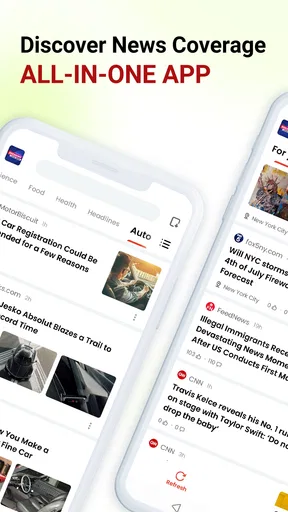
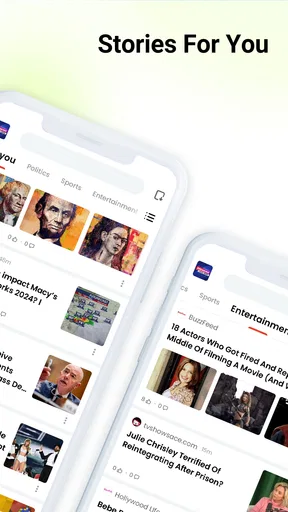
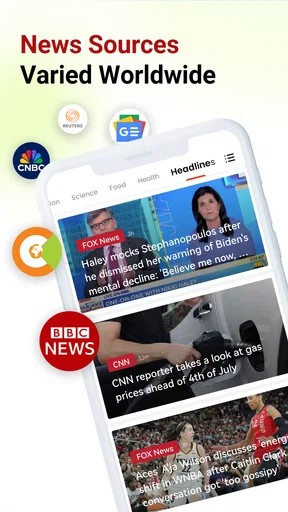
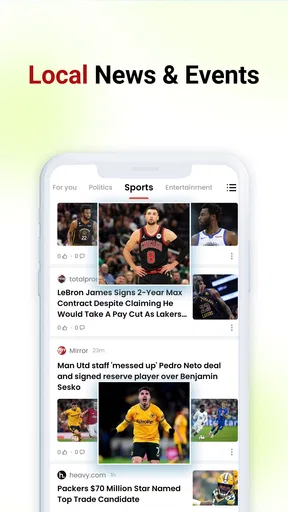
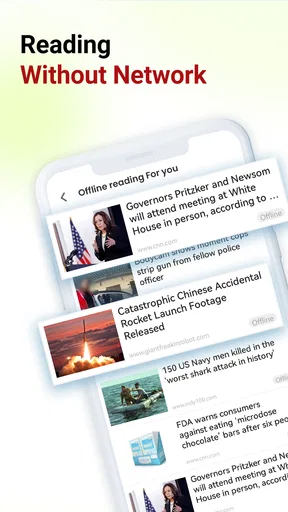
Our Review of Breaking Local News
 Analysis by Appyee
When I want a quick sense of what is happening close to home, I do not always want to open a large national news service and sort through headlines from everywhere. Breaking Local News is aimed at that smaller, more immediate need. It is a free news and magazines app from YING LIANG HK LIMITED, built around local updates, breaking stories, and weather information for the area around me.
My first impression is that its appeal depends less on reading long articles and more on reducing the distance between an event and the person who needs to know about it. A local road problem, a developing incident, or a change in the weather can matter more to my day than a major story on the other side of the country. The app is most useful when I treat it as a quick local-awareness tool rather than a complete replacement for every news source.
It is free to use, carries an Everyone 10+ content rating, and runs on Android devices using version 6.0 or later. The current release is 14.1.2254.83653. Those details make it accessible to people using older Android phones as well as newer models, although the experience can still vary depending on the device and the local information available around the user.
What to expect when you open the app
The central idea is straightforward: open the app, look for news connected to your surroundings, and check the weather without jumping between several services. That focus makes the app easier to understand than a general news reader packed with international sections, opinion columns, finance pages, videos, and unrelated recommendations.
I would expect the opening experience to be organized around nearby headlines and current conditions rather than a carefully curated reading list. That is a strength when I am in a hurry. I can use it during breakfast, before leaving for work, or while deciding whether an outdoor plan still makes sense. It is less compelling if I am looking for deep reporting, extensive background, or a broad selection of specialist publications.
The app’s store summary emphasizes local news, breaking news, and weather forecasts around the user. In practical terms, that combination suggests two different habits. One is checking in briefly for important developments. The other is using the weather information as a small planning aid throughout the day. I find the second use easy to overlook, but it is one reason the app can become more useful than a simple headline feed.
Its audience is also reflected in its reach. Breaking Local News has passed 500 thousand installs and holds a 4.7 average from around 2.5 thousand ratings. Those figures do not guarantee that every local feed will feel equally rich, but they do indicate that the basic concept has attracted a substantial Android audience.
Who will get the most from it
I would recommend trying it if you have recently moved, spend time in more than one area, or simply want a faster way to notice nearby developments. It can also suit someone who does not want a full newspaper-style app taking over their reading routine. A short local check can be enough for a commuter, a parent arranging school-day plans, or anyone who wants weather context beside local headlines.
The app is less suitable for readers who need a single, authoritative publication with a clearly defined editorial voice. If your priority is investigative journalism, detailed source comparison, or a large archive of long-form articles, a dedicated newspaper app or a browser-based collection of trusted outlets will probably serve you better. I would also avoid making it my only source during a serious emergency; for urgent instructions, official local channels should take priority.
Getting through the first setup
For a first-time user, the important part of setup is not learning a complicated interface. It is making sure the app understands which local area should shape the feed. I would begin by opening it somewhere with a reliable connection, then pay close attention to any request involving location or local preferences. If the app offers a choice between automatic location and a selected area, I would choose the option that matches how I actually use it.
That distinction matters for people who travel. Automatic location may be convenient when I want updates for wherever I am today, while a fixed area can be better if I mainly care about home even when I am commuting elsewhere. Choosing the wrong approach can make the app appear inaccurate when the real problem is that the feed is following a different place than expected.
I would not rush through the first screen. News apps often feel disappointing when a user accepts every option without checking what it means for the reading experience. Here, the useful question is simple: do I want a home-area briefing, a travel companion, or both at different times? Thinking about that before browsing makes the first session more purposeful.
The weather side deserves the same attention. A forecast for a nearby town may not describe conditions at my exact street, especially in places where weather changes quickly across short distances. I use it as a practical indication for planning, not as a promise that every local variation will be captured.
A calm way to test the feed
After setup, I would spend a minute checking whether the headlines genuinely feel local. Look for familiar place names, nearby roads, public locations, or weather details that match the area you selected. If everything seems too broad, the first thing to revisit is the location choice rather than assuming the app has no local value.
This is also a good moment to decide how often you want to check it. I prefer opening a local news app at natural points in the day instead of constantly reacting to every update. That habit keeps the service useful without turning minor developments into a stream of interruptions.
One practical tip is to compare the first few local items with a source you already trust. I am not doing this to dismiss the app; I am learning what kind of coverage it presents in my area. Some users may find that it is excellent for fast awareness but still prefer a local newspaper, radio station, or official website for confirmation and detail.
Your first meaningful success
The first successful action should be small and concrete: use the app to answer a question that affects the next few hours. For example, before leaving for an appointment, I would check the nearby news feed for a developing local issue and then look at the weather to decide whether I need extra travel time or different clothing.
That workflow is more useful than opening the app without a purpose and scrolling until something catches my eye. It gives the service a clear job. I am not trying to read everything; I am trying to understand whether anything nearby could change my plan.
A realistic morning might look like this. I open the app while preparing to leave, scan the first local headlines, and notice whether a story concerns my route or neighborhood. I then check the forecast before deciding whether to walk, drive, or postpone an outdoor task. Even when there is no major breaking story, the combined check can still provide a quick sense of the day.
Another useful routine is an evening check. Local developments may explain unusual traffic, noise, or activity in the area, while the forecast helps with the following morning. I would keep this as a brief review rather than treating the app like a continuous live channel.
How I would read breaking items
Breaking labels can create a false sense that every item requires immediate action. My approach is to separate awareness from confirmation. A headline can tell me that something is developing, but I would look for more context before changing an important plan or sharing the information with someone else.
This is especially important with early reports, where details may change as an event develops. The app can be the place where I first notice a story, while official announcements or established local reporting provide the information I rely on for decisions involving safety, travel disruption, or public services.
The most valuable habit is therefore not simply reading quickly. It is learning which items deserve a second look. A headline about a nearby road, severe weather, or a public incident has a different practical weight from a general community feature. That judgment helps keep the feed useful without making it stressful.
Common confusion and everyday friction
The biggest possible confusion is the meaning of “local.” Nearby does not always mean exactly where I live. A feed may include a wider surrounding area, and weather conditions can differ between neighboring locations. If the headlines seem relevant but not perfectly close, I would first consider the size of the area being covered before deciding the app is failing.
Another point is the difference between a headline service and a full reporting platform. A local update may be enough to alert me to a situation, but I may still want to read a longer article elsewhere. That is not necessarily a weakness; it is a trade-off. The app’s value is speed and convenience, while specialist outlets may offer more context, named sources, and follow-up reporting.
Users who prefer a completely quiet phone may also find the idea of breaking news distracting. I would build a deliberate checking routine and avoid allowing the app to dictate my attention. The best local-news tool is one that helps me make better decisions, not one that makes every notification feel urgent.
There is also a personal relevance trade-off. A local feed can be more useful than a national feed for everyday planning, but it may feel repetitive if the surrounding area has a slow news cycle. On a quiet day, the weather function may be the more practical reason to open it. On a busy day, the breaking-news side becomes more valuable.
Where it differs from usual alternatives
Compared with a major national news app, Breaking Local News feels more focused on proximity. A national service usually gives me broader coverage, stronger topic filters, and more depth across politics, business, culture, and world events. This app makes more sense when the question is “what nearby could affect me today?” rather than “what are the biggest stories everywhere?”
Compared with a weather-only app, it adds local context. A forecast can tell me what the sky may do, but it cannot replace a quick look at nearby developments. On the other hand, a specialist weather service may be preferable if I need advanced forecasting detail or weather-specific tools.
Compared with following local publishers individually, this app may reduce the effort of checking several places. The compromise is that I have less control over the editorial identity of each source. Readers who already have a carefully chosen set of trusted local outlets may prefer their existing routine, while newcomers may appreciate having one starting point.
That makes the app a useful middle ground. It is more locally oriented than a broad news reader and more informative than a forecast alone, but it should not be judged as a complete newsroom, emergency authority, or specialist weather instrument.
Making the next step worthwhile
Once the first check works, I would turn the app into a simple two-minute habit. I would scan local headlines, open only the items that could affect my plans, and finish with the weather. This prevents endless scrolling and keeps the app connected to real decisions instead of passive consumption.
For people who move between home and work, I would test both locations at different times and notice which setup produces the more useful results. The right choice depends on whether local means “where I am now” or “the place I need to monitor.” That small distinction can make the experience feel much more relevant.
I would also use the app as an early signal, not the final word. When something matters, I would follow through with the relevant official source or a trusted local publication. This is one of the most important trade-offs: convenience is valuable, but local information deserves careful judgment when the consequences are serious.
The developer, YING LIANG HK LIMITED, has positioned this as a free Android news and magazines app rather than a premium subscription product. That makes it easy to test without committing money, which is useful for comparing its local coverage with the services already on your phone. If the first few sessions do not produce information relevant to your area, there is little reason to force it into your routine.
For me, the strongest case is practical and modest. I would install it when I want a nearby-news shortcut that also keeps weather in the same place. I would recommend it to a friend who has just moved or who is tired of sorting national headlines to find local information. I would not recommend relying on it alone for detailed reporting, specialist forecasts, or urgent official instructions.
Overall, Breaking Local News succeeds when I use it as a quick first look at the day around me. Its free access, broad Android compatibility, and focused purpose lower the barrier to trying it, while its local emphasis gives it a clearer role than a general news feed. Use it to notice what may matter nearby, then verify important details through the source best suited to the situation.
Privacy and Permissions
See what permissions an app requests and how it handles your data.
- Location
- approximate location (network-based)
- Phone
- read phone status and identity
- Photos/Media/Files
- read the contents of your USB storage, modify or delete the contents of your USB storage
- Storage
- read the contents of your USB storage, modify or delete the contents of your USB storage
- Camera
- take pictures and videos
- Wi-Fi connection information
- view Wi-Fi connections
- Device ID & call information
- read phone status and identity
- Other
- view network connections, create accounts and set passwords, control flashlight, full network access, read sync settings, draw over other apps, control vibration, prevent device from sleeping, toggle sync on and off, install shortcuts, Google Play license check, read Google service configuration
Verdict
Strengths of Breaking Local News
- Fast alerts for breaking stories in your selected area.
- Simple layout makes headlines easy to scan quickly.
- Supports location-based news discovery while traveling.
- Useful push notifications for urgent local updates.
- Covers community events often missed by national outlets.
Limitations of Breaking Local News
- Coverage quality depends heavily on your local news sources.
- Frequent alerts may feel excessive during busy news periods.
- Some stories may repeat across multiple local outlets.
- Certain articles can require an external website to read.
- Location permissions may be needed for accurate local results.
Other Releases by YING LIANG HK LIMITED
View All
Breaking News - Live Headlines
News & Magazines4.4
Similar Picks in This Category
View All
Google News - Daily Headlines
Google LLC4.0

X
X Corp.4.8

Flipboard:Your Social Magazine
Flipboard3.4

Opera News: breaking & local
Opera4.5

Hindi News by Dainik Bhaskar
Dainik Bhaskar Group4.0

Way2News Daily News App
Way2News ( Formerly Way2SMS )4.6
Frequently Asked Questions
What is Breaking Local News, and what kind of information does it provide?
Breaking Local News is an app designed to help users follow current events happening in their city, town, or surrounding area. It may include breaking stories, traffic updates, weather alerts, public safety notices, community announcements, local politics, and other regional reports. The available coverage can vary depending on your location, so users in larger cities may receive more frequent updates than those in smaller communities.
Does Breaking Local News require my location, and is it safe to use?
The app may request access to your location so it can display news and alerts relevant to your area. In most cases, you can choose whether to allow precise or approximate location access, and some features may still work if you manually select a city or region. Before downloading, review the app’s privacy policy and permission requests to understand how location data and other personal information are collected, used, and shared.
How quickly are breaking news notifications delivered?
Breaking Local News is intended to provide timely notifications, but delivery speed can depend on several factors, including the publisher’s reporting process, your internet connection, device settings, and notification permissions. Alerts may arrive shortly after an event is reported, although there can occasionally be delays or differences between the notification and the full article. For important emergencies, always rely on official authorities and emergency services.
Can I customize the news categories and notifications in Breaking Local News?
Most users will want to adjust the app so they receive information that is genuinely useful rather than every available alert. Depending on the version and region, you may be able to choose local areas, topics, notification types, and alert frequency. It is worth checking these settings after installation, because notifications for crime, accidents, weather, or emergencies can become frequent if all categories are enabled by default.
Is Breaking Local News free to download, and are there advertisements or additional costs?
Breaking Local News may be available as a free download, but the exact pricing model can differ between Android and iOS and may change over time. Free access can be supported by advertisements, sponsored content, or optional premium features. Check the store listing before installing to see whether the app includes in-app purchases or subscriptions. Also review trial terms carefully, since some premium plans renew automatically unless canceled.
